
Share Your Regrets Anonymously.
Introducing Regretify Communities: Connect, Share, and Grow Together!
Get ready to connect like never before! We're incredibly excited to roll out Regretify Communities, a brand-new way to share experiences, find support, and grow together, right within the Regretify app you know and love.
We've always believed that reflecting on our regrets is a powerful step towards personal growth. But we also know that journey is often richer and more impactful when shared. You told us you wanted more ways to connect, and we listened!
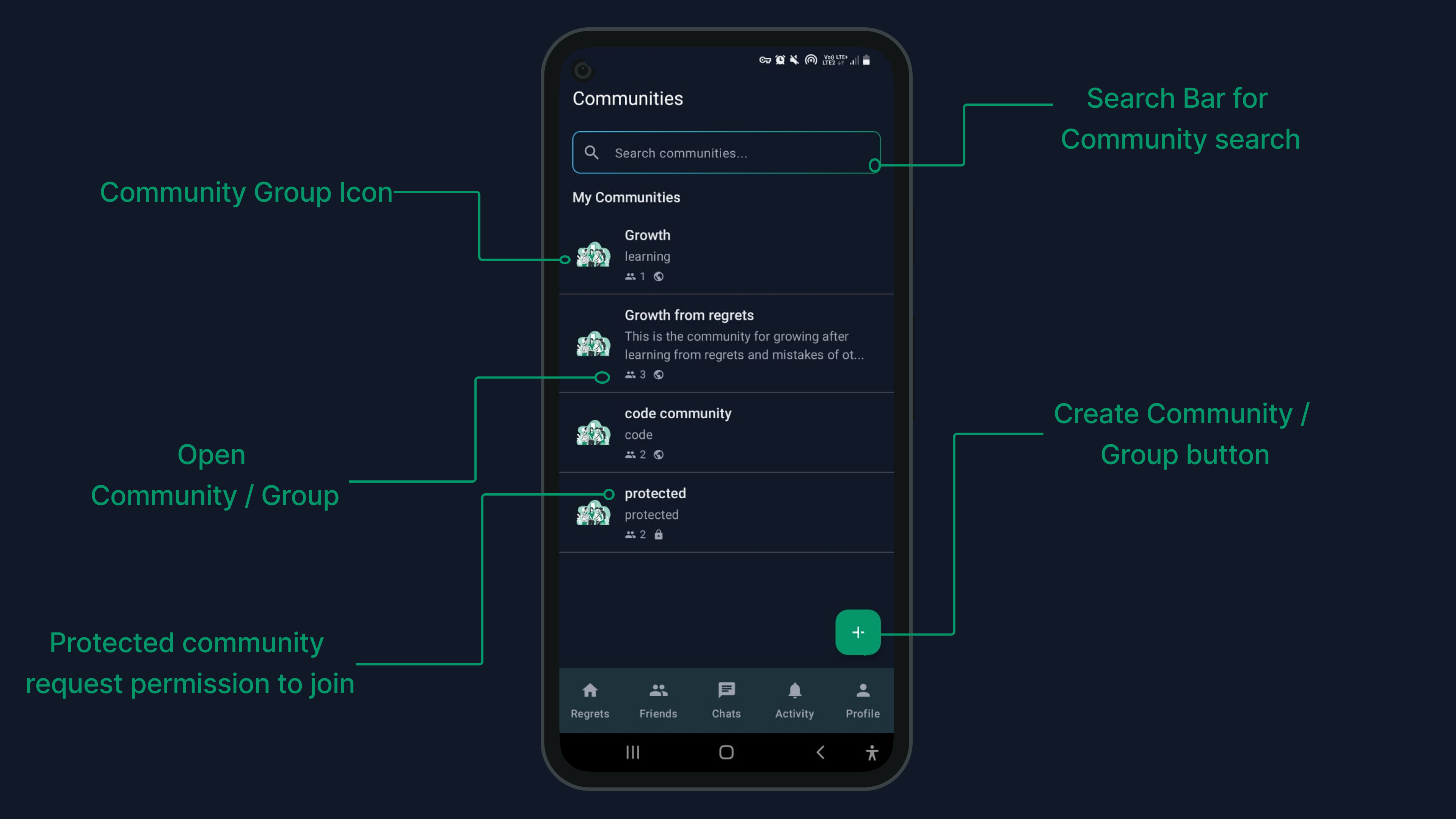
What Can You Do in Regretify Communities?
Regretify Communities are designed to be intuitive, engaging, and, most importantly, a safe space for all our users. Here's a sneak peek:
- Explore & Join Diverse Groups: As seen above, you can easily browse or search for communities. Whether it's "Growth from regrets," a "code community," or something else entirely, find your niche! Click the big "+" button to even start your own.
- Dive into Community Details: Once you find a community, like "Growth from regrets," you'll see its purpose, who created it, and how many members are part of it.
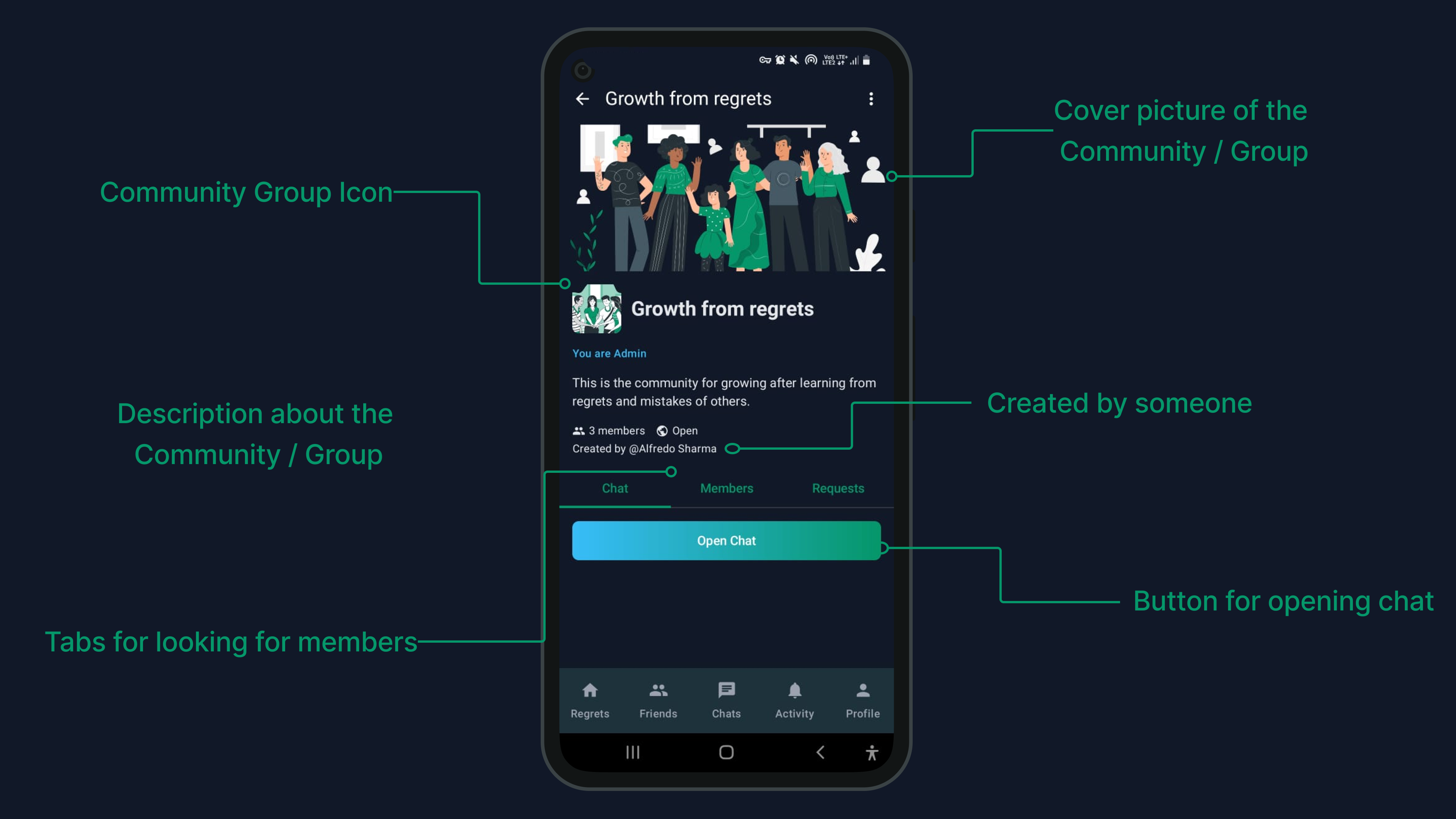
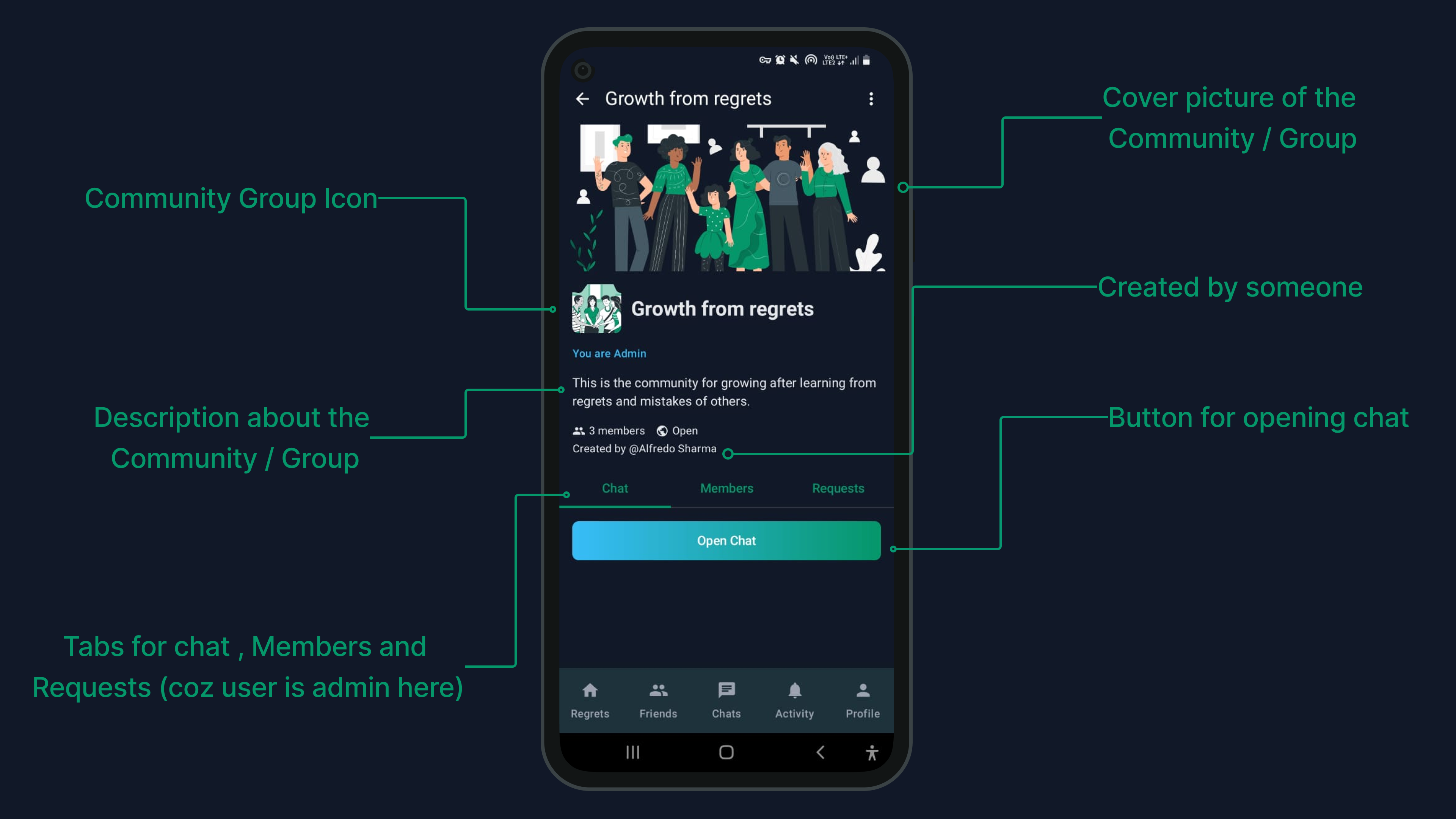
- Manage Your Community: If you create a community or are made an admin, you'll have tools to manage members and requests, ensuring your space stays welcoming.
- Easy Navigation: Accessing the chat is simple, with clear "Open Chat" buttons within each community's page.
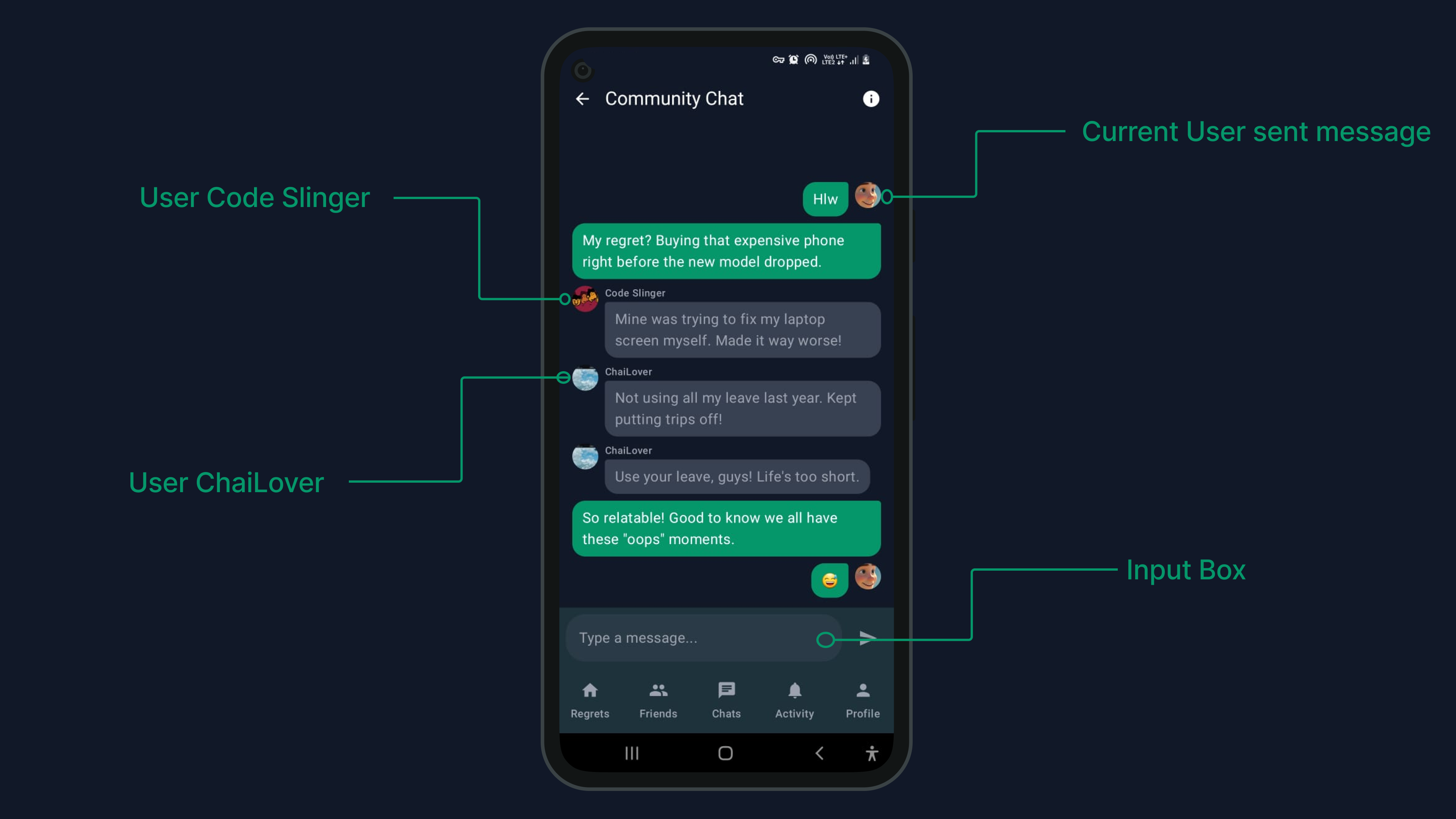
- Engage in Real-time Chat: This is where the magic happens! Share your thoughts, ask questions, and connect with fellow members in a dedicated chat space for each community.
How to Dive In?
Ready to explore? It couldn't be simpler:
- Make sure your Regretify app is updated to the latest version.
- Look for the "Communities" tab (you might see it alongside "Regrets," "Friends," "Chats" in your bottom navigation).
- Start exploring, join a few communities, or create your own!
You can grab the latest version of Regretify featuring Communities right here: Download/Update Regretify App.
We can't wait to see the vibrant discussions and connections that blossom in Regretify Communities. Share your feedback with us – this is just the beginning, and we'll be evolving this feature with you!
Happy connecting,
The Regretify Team